


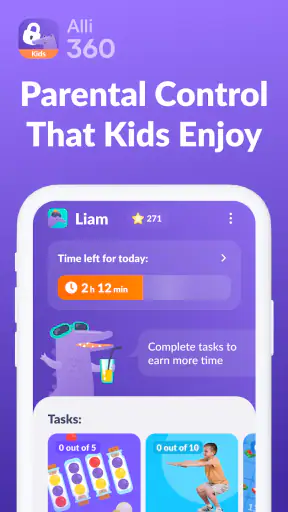


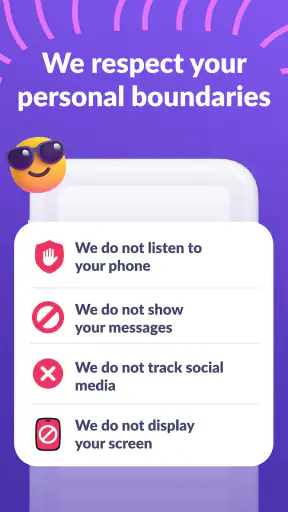

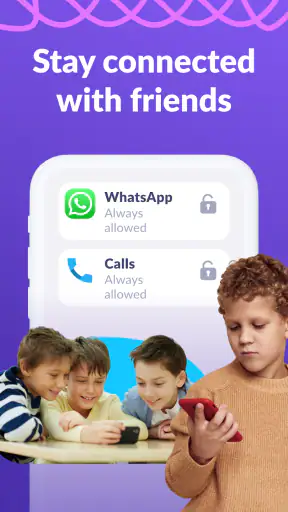

Alli360 is the kind of parenting app I would consider when the real problem is not whether a child uses a phone, but how that use quietly expands throughout the day. Developed by MINDCARE LAB LTD, it is built around managing time spent in games and mobile applications rather than trying to replace a parent’s judgement. After looking at how it fits into everyday family routines, my view is clear: it is most useful as a practical boundary-setting tool, especially for parents who want something more focused than a general device lock.
That focus matters. Screen-time controls can easily become too broad, turning every minute on a phone into a problem. Alli360 is aimed at the apps that usually create the most friction: games, entertainment services and other activities that are easy to keep opening. I like that approach because it lets a parent protect homework, sleep and family time without necessarily treating the entire device as off-limits.
The app is free, carries an Everyone age rating and supports Android devices from version 7.0 onward. Its current version is 2.82.0, and its popularity is substantial, with more than five million installs and a 4.4 average from roughly 268 thousand ratings. Those figures do not prove that it will suit every household, but they do suggest that the basic idea has connected with a large number of parents.
What Alli360 does well in real family routines
The strongest part of the experience is its straightforward purpose. Instead of asking parents to monitor every action on a child’s device, it gives them a way to think in terms of time spent inside selected applications. That makes the conversation easier. A rule such as “games are available after school for a limited period” is more understandable than a vague instruction to use the phone less.
I find this especially helpful for families where the same argument happens repeatedly. Without a tool, a parent has to remember when a child started playing, interrupt the activity, negotiate an extension and then repeat the process the next day. A screen-time manager can make the boundary more visible and more consistent. The parent still has to decide what is reasonable, but the app can reduce the need to act as a human stopwatch.
A realistic example would be a child returning from school and immediately opening a favorite game. Rather than banning the phone entirely, a parent can use Alli360 as part of a routine: schoolwork and a snack first, a defined gaming period afterward, then no gaming during dinner or the bedtime wind-down. The value is not simply stopping an app. It is making the order of the afternoon predictable enough that the child knows what to expect.
That predictability is one of the less obvious benefits. Parents often focus on the number of minutes, but consistency can be just as important. If the rule changes every evening, children naturally keep negotiating. If the same arrangement is applied regularly, the discussion can move away from “just five more minutes” and toward whether the rule itself needs a thoughtful adjustment.
I would also use it as a conversation aid rather than presenting it as a secret surveillance system. Before putting restrictions in place, it is worth explaining which activities are being limited and why. The app is more likely to support a healthy routine when the child understands that the goal is balance, not punishment. That approach also makes it easier to review whether a limit is genuinely helping.
Useful for separating different kinds of screen use
Not all phone use has the same effect on a child. A video call with family, a school task and a competitive game may all happen on the same device, but they do not carry the same meaning. A focused tool for games and applications gives parents more room to distinguish between them than a blanket device shutdown would.
This is where Alli360 can be more practical than relying only on the built-in screen-time controls on a phone. System-level controls are useful, but they can feel like a technical dashboard rather than a parenting routine. Alli360’s identity is clearer: it is designed around managing access to the activities that most often consume unplanned time. For a parent who wants that narrower purpose, the dedicated approach may feel easier to maintain.
There is also a useful trade-off here. The more precise the rule, the more time a parent may need to think through which apps belong inside it. A broad restriction is quick to create but can be unfair. A carefully chosen group of applications takes more attention, yet it is more likely to match the child’s actual habits. I would begin with the few apps that cause the most trouble instead of trying to control everything on the phone at once.
That gradual setup is an important practical tip. If a child uses several games, social apps and video services, limiting all of them immediately can make the first day feel like a confrontation. Starting with the biggest source of lost time gives the family a clearer way to judge whether the arrangement works. It also prevents parents from creating rules they will not want to maintain.
Where the app is less convincing
Alli360 is not a substitute for a family agreement, and that is its main limitation. A technical limit can stop or restrict access, but it cannot explain why sleep matters, teach a child to stop voluntarily or resolve disagreements about what counts as fair. If a parent expects the app to solve every screen-time conflict by itself, disappointment is likely.
There can also be friction when a child’s schedule changes. A weekday routine may be sensible during school hours but unsuitable during holidays, travel or a sick day at home. Parents who want a completely automatic system may find that real life still requires adjustments. The tool works best when someone is willing to review the arrangement instead of setting it once and forgetting it.
Another limitation is that app-based control can become too rigid if it is applied without context. A child might be in the middle of a creative project, a cooperative activity with friends or an important conversation when a limit arrives. That does not make limits useless, but it does mean parents should think about transition warnings and reasonable exceptions as part of the wider household rule. The technology can enforce a boundary; it cannot judge every moment with human sensitivity.
Families should also be realistic about the emotional side. If the first introduction is framed as “the app will control your phone now,” the child may see it as an adversary. I would present it as a shared routine and revisit it after a few days. Ask whether the timing feels workable, whether homework is easier and whether bedtime has improved. This turns the app from a one-sided restriction into something that can be adjusted with evidence from daily life.
For older teenagers who are already capable of managing their own schedule, a conversation-based approach may be better. They may resent detailed controls if they have demonstrated responsibility, particularly when their phone is also central to schoolwork, communication or creative interests. Alli360 makes more sense when the parent needs a dependable structure, not when the main need is to build independence through trust.
How it compares with ordinary alternatives
The usual alternatives fall into a few groups: built-in phone controls, complete device blocking, informal household rules and broader parental-control suites. Alli360 sits between those options. It is more deliberate than simply taking the phone away, but narrower than a system that tries to supervise every aspect of a child’s digital life.
Compared with informal rules, its advantage is consistency. A spoken agreement can work well in a cooperative family, but it depends on memory and follow-through. Alli360 can provide a clearer structure when the same argument keeps returning. The disadvantage is that it introduces another layer of management, and some children may respond better to a trusted verbal agreement than to a visible restriction.
Compared with a complete device block, it is potentially less disruptive. A child can still have access to useful parts of the phone while specific entertainment habits are addressed. That distinction is valuable when the parent’s concern is gaming after bedtime rather than communication throughout the entire evening.
Compared with a broad parental-control suite, the appeal is simplicity of purpose. A larger suite may be preferable for parents who also need extensive web filtering, location tools or detailed supervision across many kinds of activity. Alli360 is a better fit when the central issue is time spent in games and mobile applications and the parent does not want an unnecessarily complicated control panel.
There is no universal winner. The right choice depends on the child’s age, the level of conflict at home and how much control the parent actually wants. I would choose Alli360 over a full device lock when the problem is concentrated in a few apps. I would choose a broader solution when online safety concerns extend well beyond time management.
Small workflow changes that make it more effective
The first useful workflow is to observe before restricting. For several days, notice which applications create the most arguments and which times of day are hardest. Then build the first rule around that pattern. This avoids the common mistake of limiting an app simply because it is popular while overlooking the activity that is actually disrupting meals, homework or sleep.
The second is to pair a digital boundary with a physical transition. A child is more likely to accept the end of gaming if there is a clear next step: putting the phone on charge outside the bedroom, starting a shower, preparing a school bag or joining dinner. Without that transition, the limit can feel like an abrupt loss. Alli360 can support the timing, but the household routine supplies the meaning.
The third is to review rules after a short period rather than treating the first setting as permanent. If the child repeatedly reaches the limit while completing a legitimate task, the rule may be poorly targeted. If the child moves from one unrestricted app to another, the family may need to reconsider what behavior it is trying to change. This kind of review is more useful than simply making every limit stricter.
A fourth insight is to use the app to reduce parental inconsistency. If two adults in the household apply different rules, the child will naturally appeal to whichever answer is more generous. Agreeing on the purpose of the limit before configuring it is therefore just as important as the setting itself. The app cannot settle a disagreement between parents, but a shared rule can prevent it from becoming a daily negotiation.
I would also avoid using screen-time limits as a reward for every minor task. When every chore is converted into extra phone time, the device can become even more valuable and harder to put down. It is healthier to establish a stable baseline and reserve occasional flexibility for genuine circumstances. That keeps the tool connected to routine rather than turning it into a constant bargaining currency.
Who should use it, and who should skip it
I think Alli360 is a strong candidate for parents of children who repeatedly lose track of time in games or entertainment apps. It is particularly suitable when the parent wants limits that are more targeted than banning the entire phone. It can also help in households where arguments arise because adults are tired, busy or unable to monitor every session personally.
It is less suitable for someone looking for a complete digital-safety platform. If your main concerns involve broad web access, detailed activity reporting or a wide set of device-management functions, a more comprehensive parental-control product may be a better match. Alli360’s focused role is a strength only when that role matches the problem you are trying to solve.
I would also hesitate to recommend it as the first step for a teenager who is ready for more independence. In that situation, I would begin with a clear agreement, shared expectations and a review of sleep and school responsibilities. If that approach fails, a structured app can be introduced as support rather than as a surprise punishment.
Installation is not the only consideration. Parents should be prepared to explain the rules, decide which applications matter and make occasional adjustments. The free price removes a financial barrier, but it does not remove the time needed to set up a fair routine. That is an honest trade-off: the app can simplify enforcement, yet good parenting decisions still happen outside the screen.
My verdict after weighing the trade-offs
My overall impression is that Alli360 succeeds because it addresses a specific and common problem without pretending that technology can replace parenting. Its emphasis on games and mobile applications makes it more focused than a total phone ban, while its practical role can make limits more consistent than spoken reminders alone.
The weaknesses are equally important. It can feel rigid when schedules change, it cannot understand context as a parent can and it may create resistance if introduced without a conversation. Families wanting a full suite of online-safety tools should look elsewhere, and older children may benefit more from negotiated responsibility.
For the right household, though, I would recommend trying it as part of a larger plan. Start with the applications that genuinely cause problems, explain the reason for the boundary, connect the end of screen time to a real-world activity and review the arrangement instead of escalating automatically. Used that way, Alli360 is best understood as a consistency tool, not a substitute parent.
Its 4.4 average and audience of millions make it an established choice in the parenting category, but my recommendation is based more on its fit than on popularity. If your family needs a focused way to manage gaming and app use while keeping the rest of the phone available, the free app from MINDCARE LAB LTD is worth considering. If your priority is broad monitoring, complete device administration or teaching an older child self-management, another approach may serve you better.


